
Why Your TikTok Download Has No Sound (and the Fix)
A silent TikTok download has one of five causes — from muted source videos to player codec quirks. How to diagnose which one you hit and fix it in minutes.
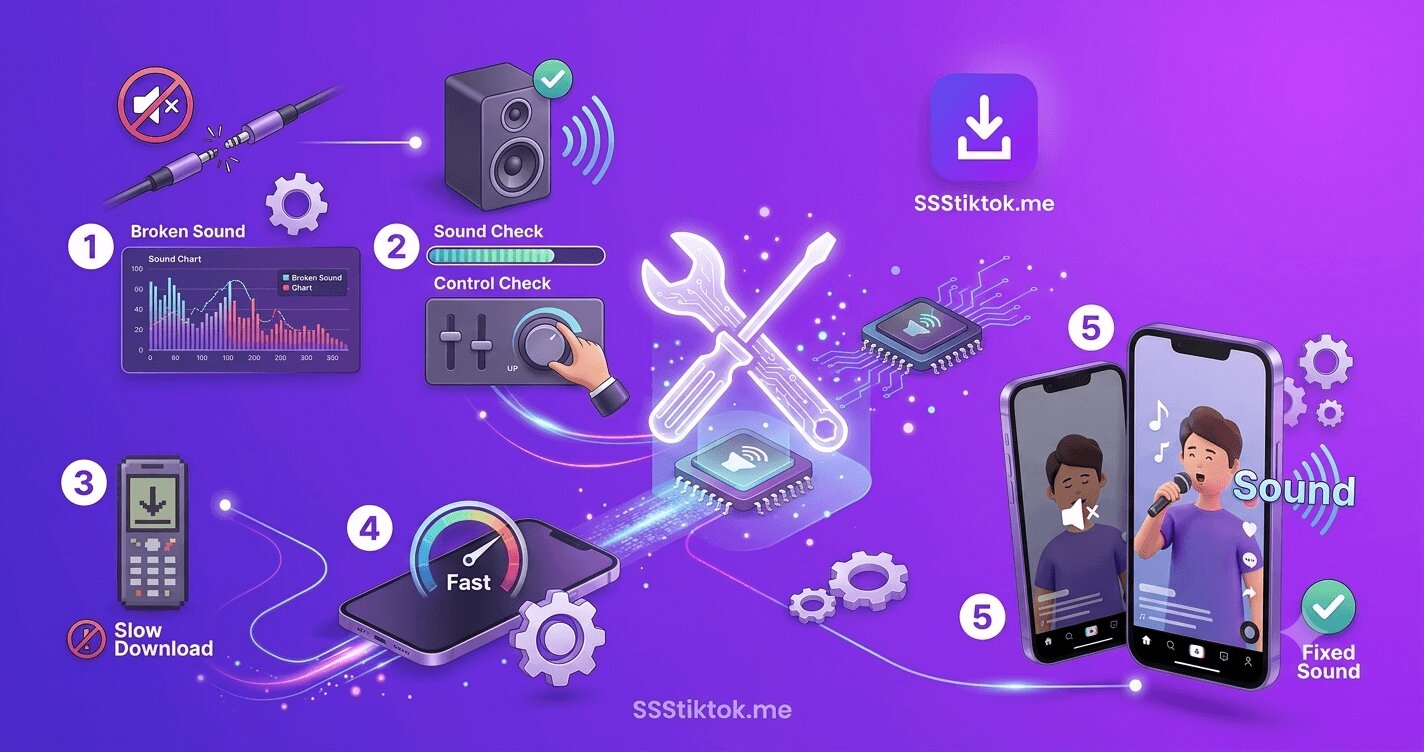
You download a TikTok, hit play, and — nothing. The video runs, the audio is gone. A silent download feels random, but it is not: there are exactly five common causes, they are easy to tell apart, and four of them take under a minute to fix. This guide runs through them in the order you should check, from most to least likely.
Cause 1: The video was already muted on TikTok
The most common cause, and the most overlooked. When TikTok detects a copyright issue with a video's audio — an unlicensed song, a rights dispute, music unavailable in some regions — it mutes the video on the platform itself. The tell-tale signs in the app: a banner saying the sound is not available, or a video that plays silently in your feed too.
The check: play the video inside TikTok with your volume up. If it is silent there, the source itself has no audio — no downloader can retrieve sound that the platform stripped. The download did not fail; it faithfully copied a silent file.
The fix: none for that copy, but check whether the creator re-uploaded the video with different audio, and see the honest limits described in our sounds and MP3 guide.
Cause 2: Your player is failing on the audio codec
If the video has sound in TikTok but your downloaded file plays silently, the file usually has the audio — your player just cannot decode it. TikTok serves audio as AAC inside MP4, which everything modern plays, but older desktop players, some smart TVs, and certain in-car systems stumble on specific encoding profiles.
The check: open the same file in a different player. On desktop, VLC is the definitive test — it decodes essentially everything. On mobile, try the built-in gallery player versus a third-party one.
The fix: if VLC plays the sound, the file is fine — use a modern player, or re-wrap the file in any converter for the picky device. If even VLC is silent, the file genuinely has no audio track; move to the other causes.
Cause 3: The mute is on your side
Embarrassing but responsible for a solid share of complaints:
- iPhone silent switch / silent mode: Safari and the Photos app respect it for video playback in some contexts where TikTok's app does not — so TikTok plays sound while your saved copy seems mute.
- Media volume vs ringer volume on Android: the volume keys sometimes adjust the wrong stream until playback has started.
- Muted player UI: browser video previews and gallery apps often start muted with a small crossed-out speaker icon in a corner. Tap it.
Ten seconds to rule out: play any other video that you know has sound.
Cause 4: An interrupted or partial download
A download that stalled near the end can produce a file that plays video but cuts audio, or stops early. The sign: the file size is suspiciously small compared to a re-download, or playback breaks at a specific point.
The fix: delete and download again on a stable connection. If downloads keep failing partway, the causes and cures are in the troubleshooting guide.
Cause 5: You downloaded from a broken tool
TikTok serves some content as separate video and audio streams that a downloader must merge correctly. Poorly maintained downloader sites occasionally ship the video stream alone — silent files by construction. If a specific clone site consistently gives you soundless downloads of videos that pass Cause 1's check, the tool is the problem.
The fix: run the same link through SSSTikTok — stream handling and merging is exactly the kind of edge case we maintain for, which is a recurring theme in our downloader comparison.
The 60-second diagnostic, in order
- Play the video in TikTok — silent there means muted at the source (Cause 1). Stop; no tool can fix it.
- Play another known-good video on your device — silent means it is your volume or mute switch (Cause 3).
- Open the downloaded file in VLC or another player — sound appears means codec/player (Cause 2).
- Compare file size with a fresh re-download — a much smaller file means partial download (Cause 4).
- Re-download via SSSTikTok — fixes tool-side stream problems (Cause 5).
Preventing silent surprises next time
Once you have fixed today's silent file, three cheap habits make the problem rare instead of recurring:
- Play before you save. The two-second pre-check — does this video have sound inside TikTok right now — eliminates Cause 1 entirely, and Cause 1 is the most common. This matters double for music-heavy content, where regional licensing means the same video can be audible in one country and muted in another; what you hear in your app is what your download will contain.
- Download on a connection you trust. Partial files (Cause 4) cluster on flaky cellular and public Wi-Fi. When a video matters, the few seconds of waiting for better signal cost less than the re-download later — and for archive sessions, desktop on a wired or strong Wi-Fi connection makes truncation effectively disappear.
- Keep one omnivorous player installed. VLC on desktop or mobile is the permanent answer to Cause 2: any file it cannot voice genuinely lacks an audio track, and any file it can voice is fine regardless of what your default player claims. Having the referee installed turns a confusing symptom into a thirty-second diagnosis.
The meta-lesson of the whole five-cause list is that silence is information: each cause leaves a distinct fingerprint, and the diagnostic order in this guide reads them from most to least likely. Users who internalize the first habit alone — check the source before saving — report the problem essentially vanishing, because they stop attempting downloads that were doomed before the paste. The remaining causes are rare enough that when they do appear, you now own the checklist that names them in under a minute.
FAQ
Q: Why does my downloaded TikTok video have no sound?
Check the source first: if the video is silent inside TikTok too, the platform muted it for copyright and the audio is unrecoverable. Otherwise it is almost always a player codec issue, device mute, partial download, or a broken downloader tool.
Q: Can I get the audio back from a copyright-muted TikTok?
No — the mute happens on TikTok's servers, so no downloader can retrieve it. Your options are finding a re-upload with different audio or asking the creator for the original file.
Q: The video has sound on TikTok but my download is silent. What now?
Open the file in VLC. If sound plays there, your regular player has a codec problem and the file is fine. If VLC is silent too, delete the file and re-download through SSSTikTok on a stable connection.
Q: Do SSSTikTok downloads include the original audio?
Yes — video and audio streams are merged properly, and the MP3 option can extract the audio alone. If the source has sound, the download has sound.
Q: Why is only part of my video silent?
Either the creator's own edit dips the audio there, or a partial download truncated the audio track. A re-download distinguishes the two immediately.
Silence has a short list of suspects — walk the five checks and you will have sound (or a definitive answer) inside a minute. And when the tool is the problem, SSSTikTok is the re-download that settles it.