
How to Save TikTok Videos on iPhone (Straight from Safari)
A step-by-step guide to saving TikTok videos to your iPhone camera roll straight from Safari — no watermark, HD quality, straight from Safari.
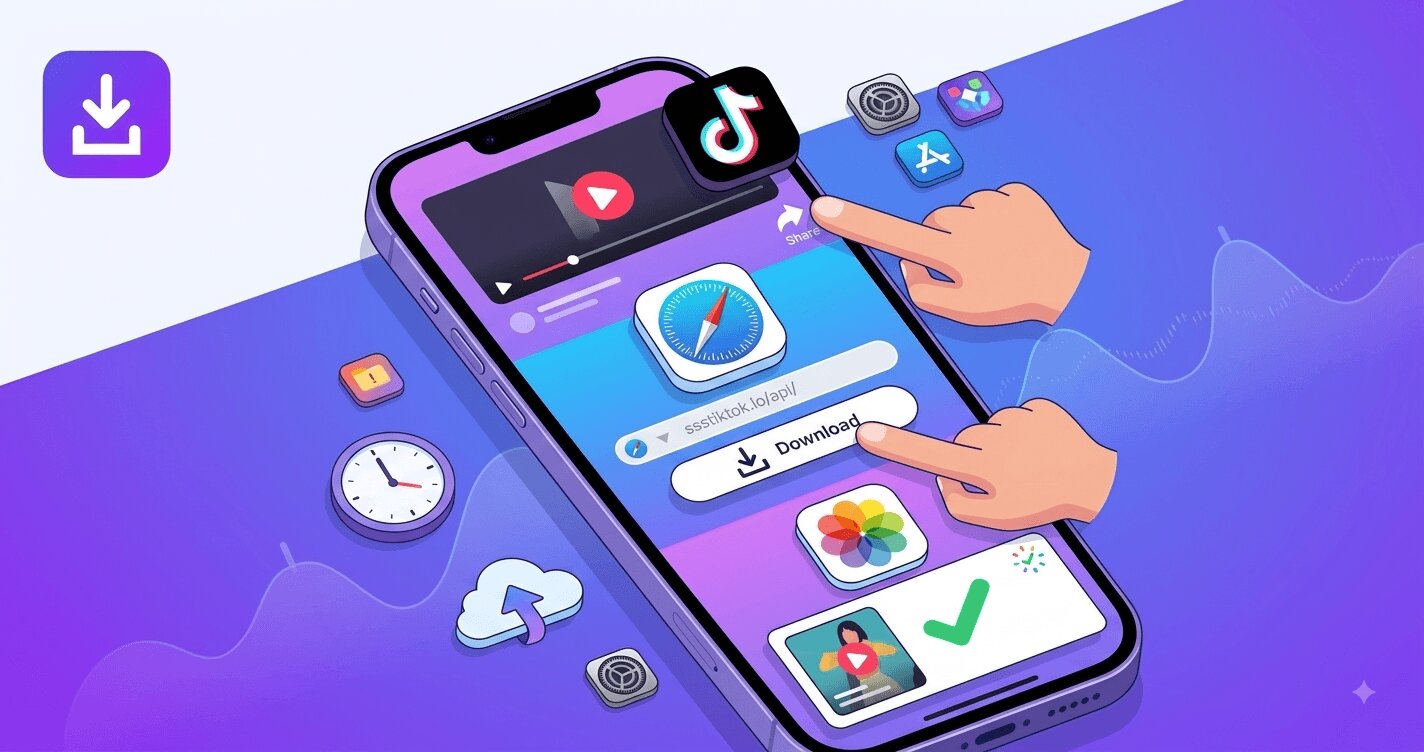 If you have ever tried to save a TikTok video on your iPhone, you already know the frustration: the built-in Save button stamps a bouncing watermark on the clip, many creators disable downloads completely, and the App Store is full of shady downloader apps that demand subscriptions or flood you with ads. The good news is that you do not need any of those apps. Your iPhone and Safari can do the whole job in under a minute — and the result is a clean, watermark-free video sitting in your Photos app.
This guide walks through the exact steps on iOS, explains where iPhone downloads actually go (a common point of confusion), and covers the special cases: photo slideshows, sounds, and videos that refuse to download.
Why the built-in TikTok Save button is not enough
TikTok does include a native Save video option in the share menu, but it comes with three problems:
- The watermark. Every saved clip carries the animated TikTok logo plus the creator's username, drifting across the frame so it cannot be cropped out. Fine for casual sharing, useless if you want a clean copy.
- Creators can turn it off. If the uploader disabled downloads, the Save button simply is not there.
- Reduced quality. The saved file is a compressed 720p render in most cases, even when the original was uploaded in 1080p or higher.
A browser-based downloader solves all three at once, because it grabs the clean source file that TikTok streams to viewers rather than the watermarked export.
How to download a TikTok video on iPhone — 3 steps
You will use Safari (or Chrome — the steps are identical) and SSSTikTok, a free web downloader that needs no installation and no sign-up.
- Copy the link. In the TikTok app, open the video, tap the Share arrow, then tap Copy link. That puts the video URL on your clipboard.
- Paste it into SSSTikTok. Open Safari, go to ssstiktok.me, tap the input box, choose Paste, then hit the download button.
- Pick your format. In a second or two you will see the download options: video without watermark (up to 4K when the source allows it), or MP3 audio only. Tap the one you want.
That is the entire process. No account, no fee — it works the same on every iPhone that can run Safari.
Where does the video go? Getting it into your camera roll
This is where most iPhone users get lost, because Safari does not save videos directly to Photos. Here is what actually happens and how to finish the job:
- When you tap the download link, Safari shows a small download arrow in the address bar (or asks Do you want to download this file). Confirm it.
- The file lands in the Files app, inside the Downloads folder. Tap the arrow icon in Safari and tap the finished file to preview it.
- To move it into your camera roll, tap the Share icon in the preview and choose Save Video. It now appears in Photos like any clip you recorded yourself.
If you save TikToks regularly, that Share → Save Video step becomes muscle memory — it takes about two seconds. Some iOS versions offer Save to Photos directly in the download preview, which is even faster.
Tips that make iPhone downloads smoother
- Use Safari rather than the TikTok in-app browser. If you open a link inside TikTok's own browser, downloads can silently fail. Always jump out to a real browser first.
- Check your storage. A one-minute HD TikTok is roughly 20–60 MB; a 4K clip can be several times that. iOS will refuse the download quietly if storage is full.
- Add SSSTikTok to your Home Screen. In Safari, tap Share → Add to Home Screen. You get an app-like icon that opens instantly — the no-app workflow with app convenience.
- Downloads happen over your normal connection. On cellular, a long HD video may take a moment; on Wi-Fi it is usually a few seconds.
Slideshows and sounds work too
Not everything on TikTok is a plain video. Two other formats matter on iPhone:
Photo slideshows. Image posts cannot be saved with TikTok's own tools at all. Paste the link into the TikTok slideshow downloader and you can either grab every image in original quality or save the whole post as a single MP4 video with the music included — handy when you want to re-watch it like a normal clip.
Audio only. If what you actually want is the sound — a song, a voiceover, a meme audio — skip the video entirely and use the TikTok MP3 downloader. You get a clean audio file that plays in the Music app, Voice Memos importers, or any editor.
When a video refuses to download
Occasionally a download fails: the page spins, the file comes out at zero bytes, or Safari reports an error. The usual causes are an expired link (copy it again fresh from the app), a private or region-locked video, or Safari's download permission being blocked for the site (check Settings → Safari → Downloads). We keep a full checklist in our guide to fixing TikTok download problems, and the basics of the whole process are covered in the main no-watermark download guide.
The Mac detour: AirDrop when you are at a computer
One more route worth knowing if you spend your day near a Mac: do the downloading on the computer and let AirDrop handle the last step. Copy the video link from tiktok.com in any desktop browser, download the clean file through SSSTikTok as usual (the desktop flow is covered in our PC and Mac guide), then right-click the file → Share → AirDrop and tap your iPhone. AirDropped videos land directly in the Photos app — no Files detour, no Share → Save Video step at all. For batch sessions this is the fastest route that exists: download ten clips on the Mac in two minutes, select them all, AirDrop once, and the whole set appears in your camera roll together. iCloud Drive users can get a similar effect by pointing Safari downloads at an iCloud folder, though AirDrop skips the sync wait. It is also the practical answer for long 4K files that feel slow to download over cellular — let the Mac's connection do the heavy lifting and beam the result across.
FAQ
Q: Do I need to install an app to save TikTok videos on iPhone?
No. Everything happens in Safari. Paste the video link at ssstiktok.me, tap download, then use Share → Save Video to move the file into your Photos app. No account, no payment.
Q: Will the saved video have a watermark?
No. SSSTikTok downloads the clean source stream, so there is no TikTok logo or username overlay on the file. That is the main difference from TikTok's built-in Save button.
Q: Why did my video go to the Files app instead of Photos?
That is how Safari handles all downloads — they land in the Downloads folder of the Files app first. Open the file, tap the Share icon, and choose Save Video to copy it into your camera roll.
Q: Can I save TikTok photo slideshows on iPhone?
Yes. Paste the slideshow link into the slides downloader on SSSTikTok and choose either the individual images or a ready-made MP4 with the original audio. TikTok itself offers no save option for image posts.
Q: Is it free? What is the catch?
SSSTikTok is free with no download limits and no sign-up. The service is supported by ads on the site, which is what keeps the downloads themselves unlimited and free.
Ready to try it? Open SSSTikTok in Safari, paste your first link, and the video will be in your camera roll before the song finishes.